Fabricator camera sequence
A playable silent product sequence focused on the overview, controls, printhead and motion system.
Watch the animationWatch the 35-second Fabricator sequence, choose a component in the browser explorer, or look through the industrial-site model photographs. Each sample shows a different way to explain a product.
These self-initiated examples use Uplink’s Fabricator model. They show presentation choices and visitor controls rather than client commissions.
A playable silent product sequence focused on the overview, controls, printhead and motion system.
Watch the animationSelect component views and reset the model. Includes a recording of the actual browser controls.
Try the explorerThese photographs from our manufacturing sub-brand show an industrial site display, its clear cover and a close view of the components. Use the visible layout and detail as a starting point for your own brief.
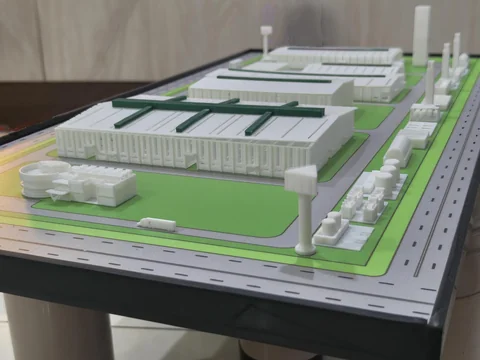
Industrial site model showing buildings, roads and landscaped areas.
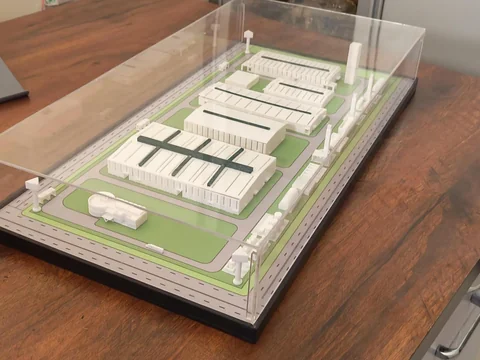
Industrial site model on a table with a clear display cover.
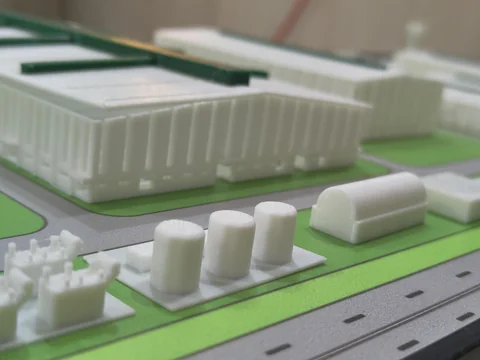
Close view of an industrial site model showing tanks, buildings and roads.
Explore the 3D Printing Biz gallery or prepare your model brief. Confirm your own dimensions, material, finish and display requirements during the project review.
| Sample | What you can assess | What still needs project review |
|---|---|---|
| Fabricator camera sequence | A product presentation using changing camera views | Mechanism animation, internal sequences and your own product assets |
| Browser product explorer | A screen-based view of the Fabricator model | Target-device behaviour and any proposed AR or headset implementation |
| Industrial-site model photographs | Visible layout, components and a clear display cover | Your required scale, materials, dimensions and finish |
These samples help make a discussion concrete. Point to the camera view, layout or interaction that is useful to your explanation, then describe how your product differs. A visual reference does not replace a specification: it cannot establish hidden construction details or the scope of an unrelated project.
Choose one sample and explain the part you want to use as a reference. For a physical display, that might be the overall arrangement or separation between model and labels. For a video, identify whether the useful element is the camera movement or the controlled sequence. For an interactive display, name the visitor action you want to retain or change.
Add your own dimensions, source-file status, event date and expected viewing conditions. The discussion can then separate existing references from new content, reconstruction and delivery requirements. Use the format selection guide when more than one medium could explain the product.